

Prerequisites
- Access to the Operator Dashboard (OD)
Procedure
1
Open the Operator Dashboard
Navigate to the Operator Dashboard and log in.
2
Select the customer's hub
From the dashboard, select the hub the customer is associated with.
3
Navigate to Users
Select Users from the top navigation row.
4
Search for the customer
Select Free search, then enter the customer’s name or email address to pull up their profile.
5
Open the customer's profile options
Locate the customer in the results and select the three dots (⋮) icon on their profile.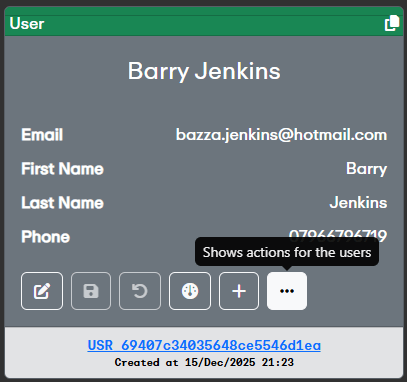
6
Enter the new email address
Enter the new email address the customer wants to use.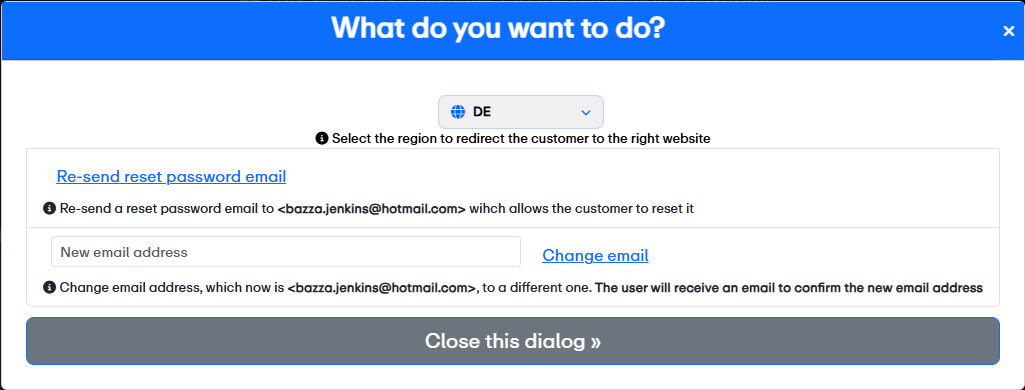
7
Submit the change
Once the new email address is entered, click Change email.
The customer will receive a confirmation email at the new address. The change will not take effect until they confirm it.