

Overview
This SOP describes how to use the new telemetry UI to monitor the charging status of kart batteries throughout the duration of an event. Why? Provides a quick and easy-to-understand visualisation of battery charging status across all karts. When? Throughout the duration of the event.Prerequisites
The application must be set up and running before you begin. If you are unsure how to do this, follow the Setting Up the Application and Starting the Application SOPs first.Running the UI
1
Open the Monitor Charging page
In a browser, navigate to http://localhost:4200/monitor-charging.
2
View the dashboard
The dashboard will load. If no karts are turned on, the kart cards will be empty.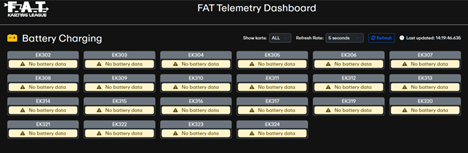
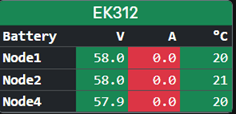
Filtering Karts
Karts can be filtered by category using the Show karts dropdown list.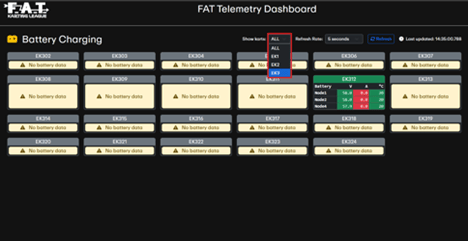
It is recommended to run three separate browser tabs — one for each kart category — as this is faster to load during the event.