Overview
Before each event day, you must start the application. This is done by running a batch script with no user input required.Prerequisites
- Setup has been completed before the event weekend
- Access to the event laptop (NUC)
Steps
1
Run the start script
On the Desktop, double-click 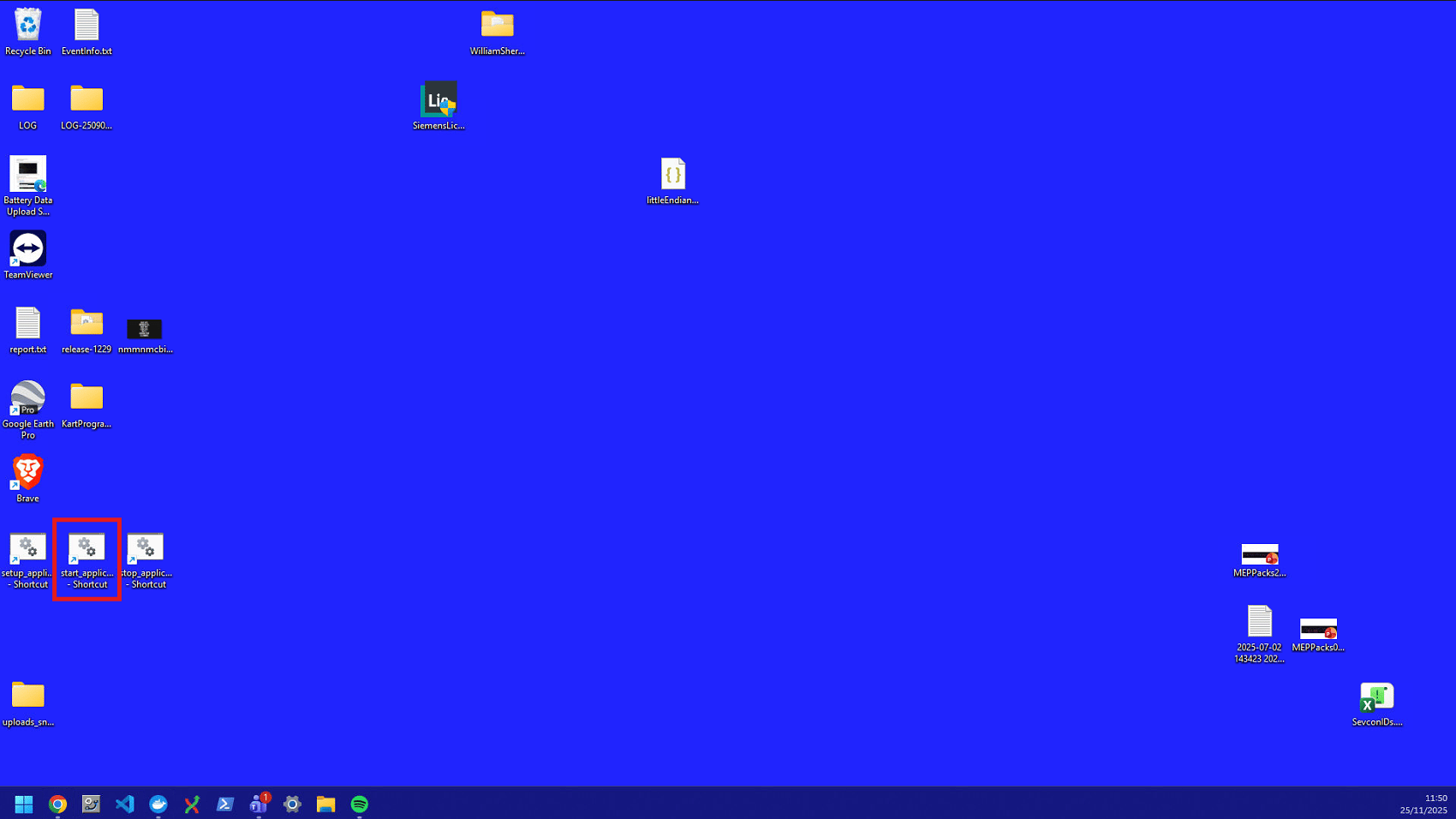
start_application.bat to run it.2
Confirm the application is running
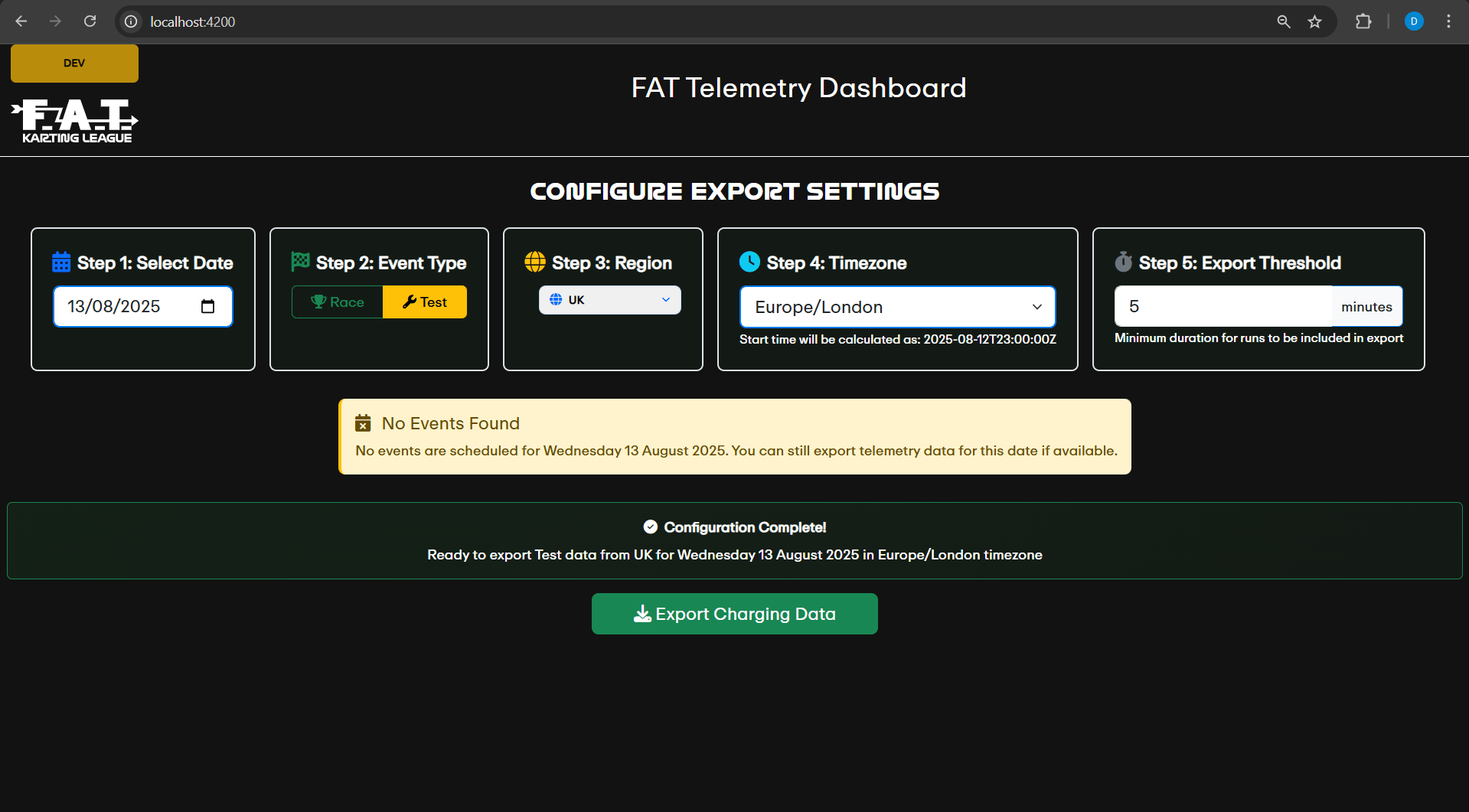
Once the script completes, open a browser window and navigate to http://localhost:4200. You should see the Telemetry WebApp interface.